

- -10%


















 EVIL BIKES
 MAGURA

























































WARNING: Due to more complicated installation, limited compatibility with a wider range of frames on the market, and unstable unlocking solution, we no longer sell this chip, but we can order it (contact us).
We are working on a new solution for rim magnet drives, which is being tested and expected by summer 2025
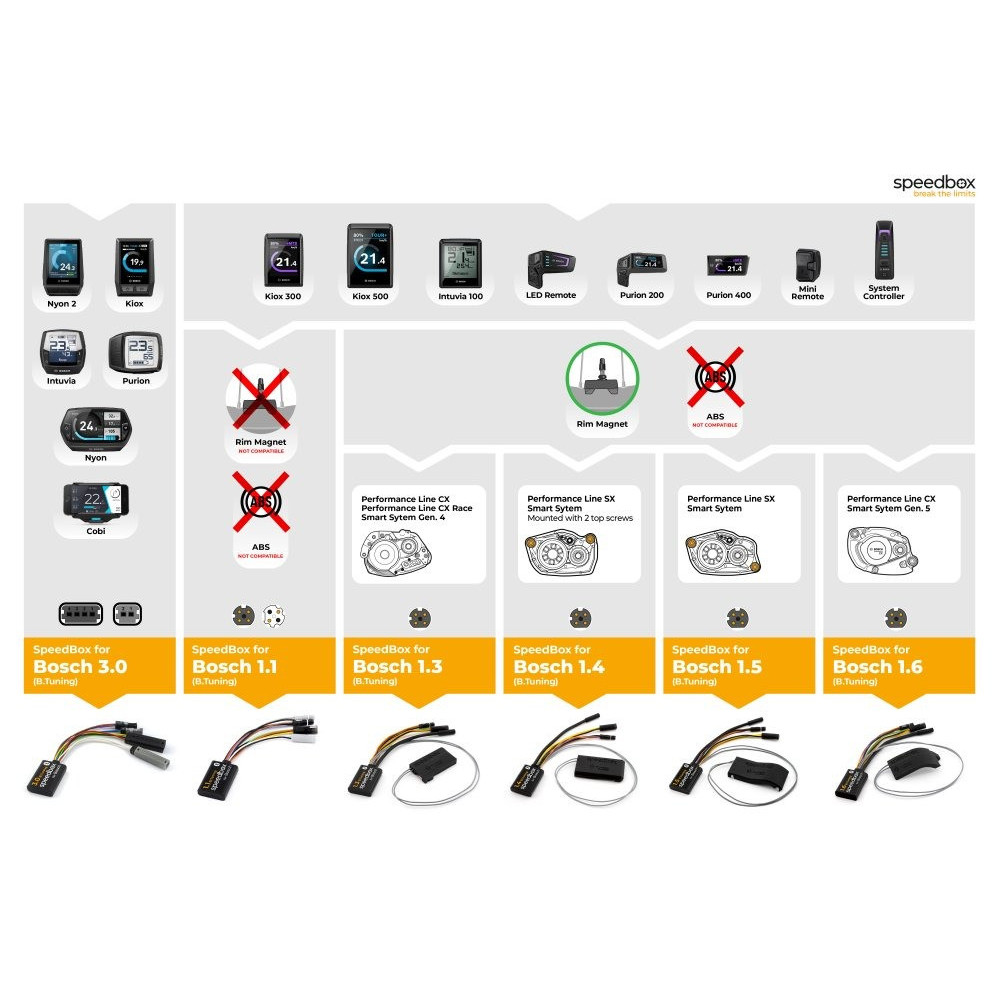
Before purchasing the product, please check the type of your e-bike and the space in the motor
- speed support up to 99 km/h (manufacturer recommended speed is up to 35 km/h)
- removes the 25km/h software speed limit , does not increase performance or interfere with drive functions or individual modes
BOSCH SMART SYSTEM (BES3 2022+) is the 4th generation (Gen4) drive with the latest system components installed in bicycles from 2022.
The division by display will help you with correct identification.
For the original Gen4 (BDU2/3/4XX EBIKE SYSTEM 2 2013-2022) please use https://slovakbikeparks.sk/eshop/odblokovanie-rychlosti/587-volspeed-v4-cip-pre-bosch-gen4-odblokovanie-rychlosti.html
Weight: 25g
Manufacturer: CZ
SIMPLIFIED INSTALLATION
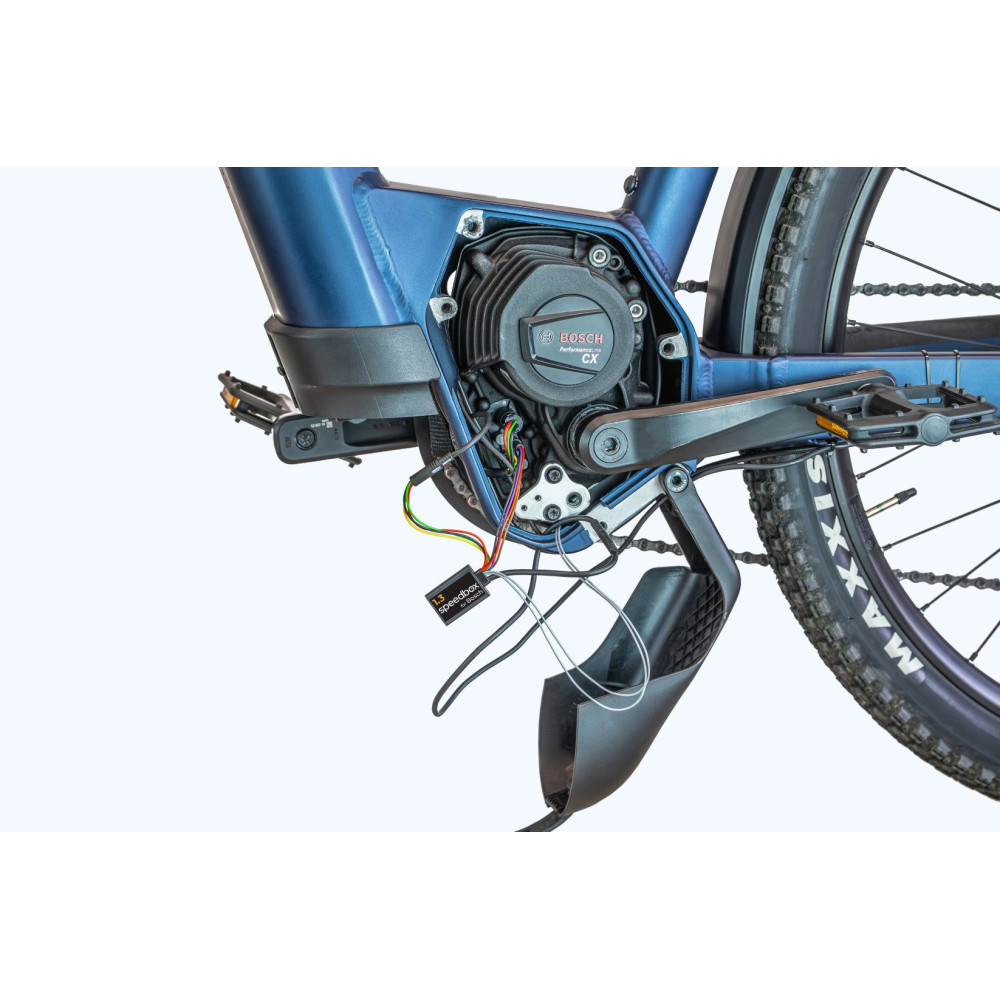
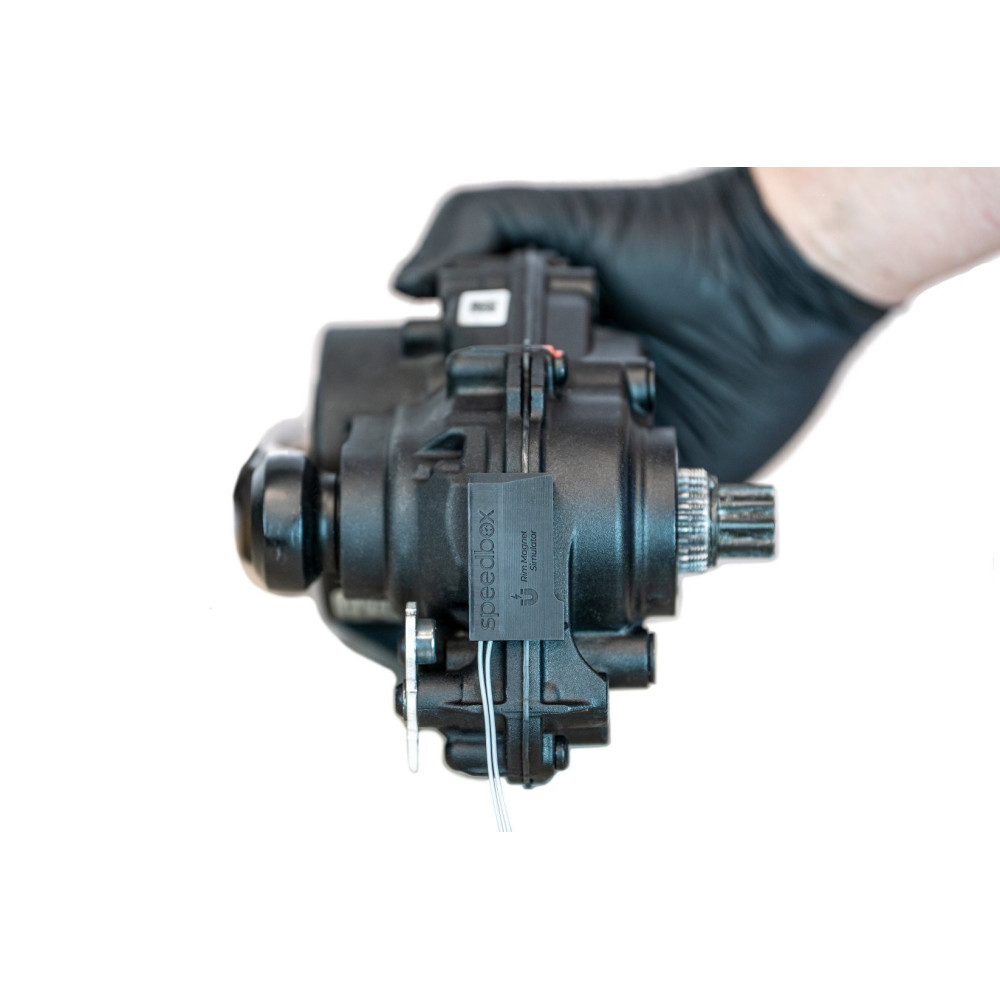
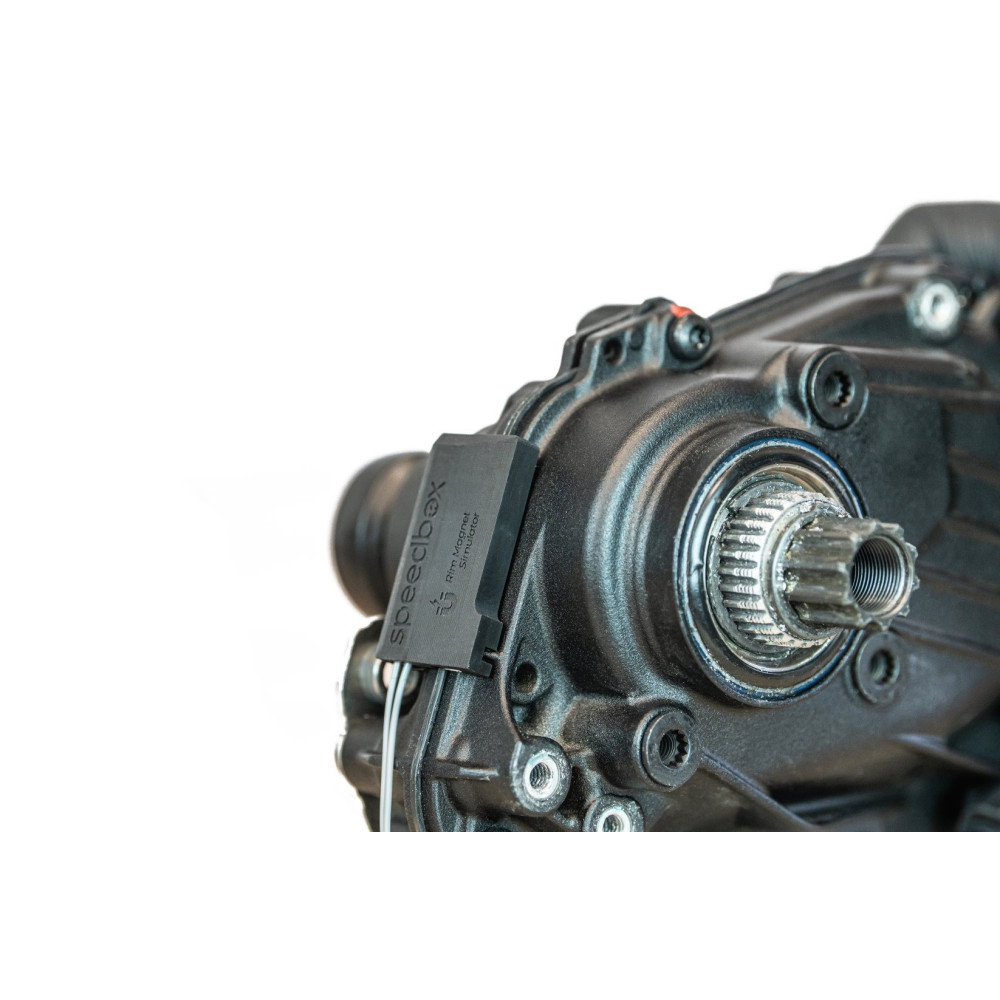
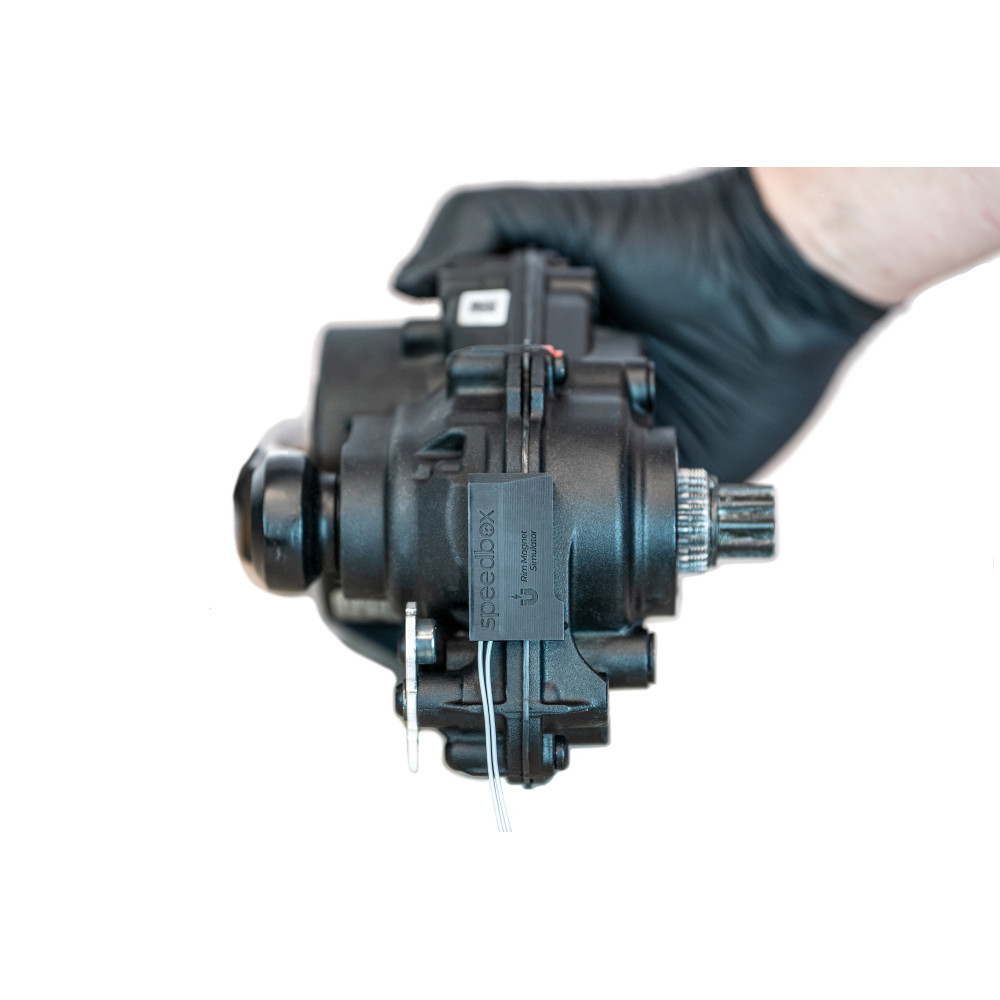
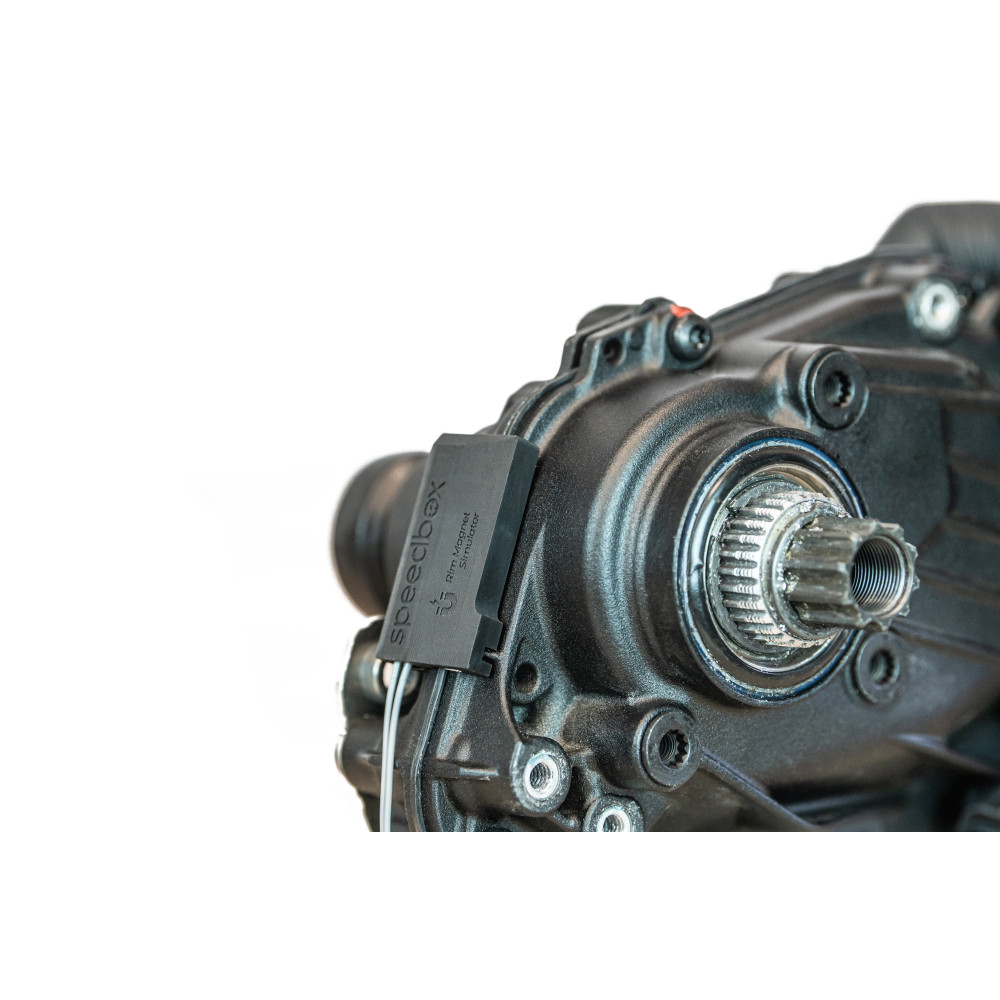
There is no need to search for a suitable position of the Magnet Simulator
DESIGNED FOR 4TH GENERATION ENGINES:
Performance Line CX
Performance Line CX Race
Performance Line Speed
FEATURES:
Maximum speed: Unlimited (recommended max. 35 km/h)
Display:
Real speed: NO
Traveled distance: After calculation
Activation/deactivation (do not do while driving):
WALK function
Buttons - + - +
Activation/deactivation indication: YES (3.5/2.5 km/h)
Compatible:
With e-bikes that have a valve magnet (Bosch Rim Magnet)
With the latest version of Bosch software
Incompatible with:
Standard magnet
ABS system
5th generation engines (BDU384Y)
Performance Line SX engines
SpeedBox App
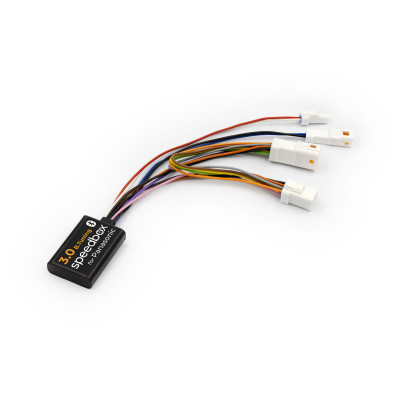
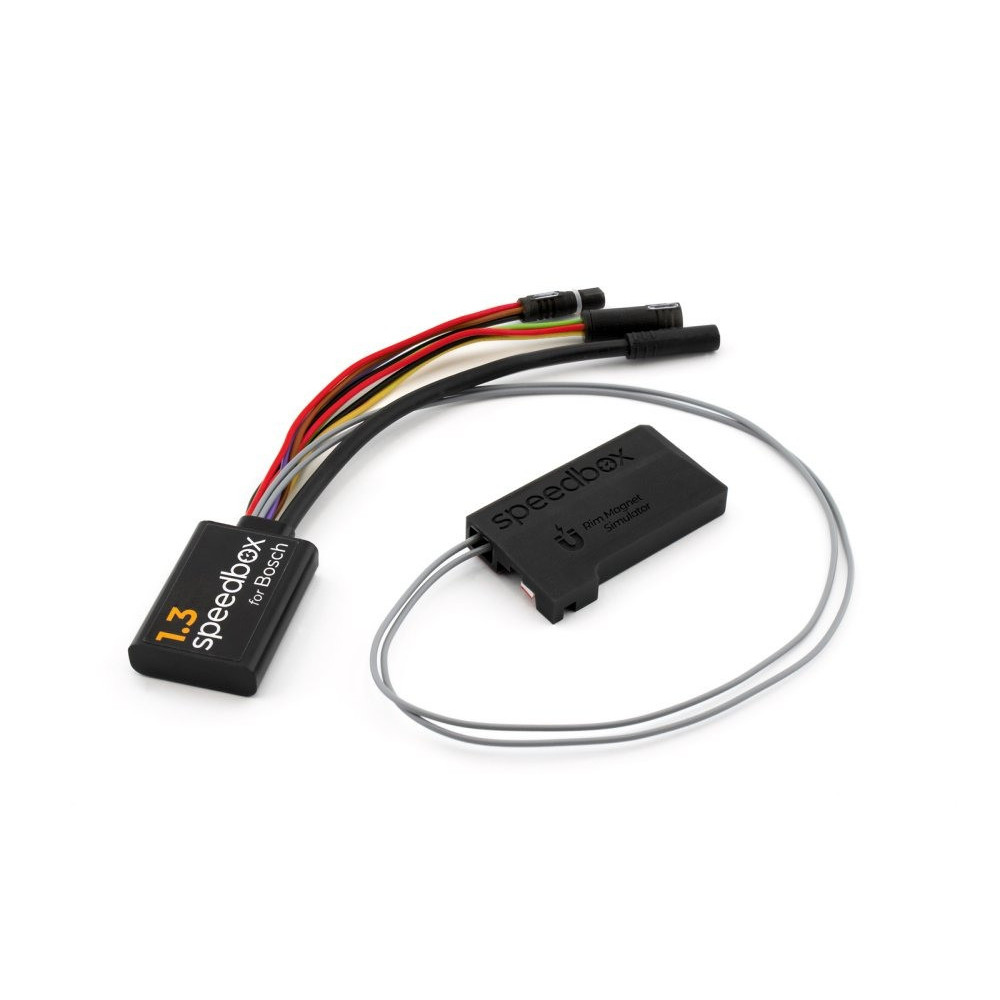
Tuning chip for your e-bike with 4th generation Bosch motors with Smart System + Rim Magnet (magnet for the wheel valve). Enjoy the ride without restrictions!
SpeedBox 1.3 for Bosch enables the deactivation of the e-bike speed limiter.
If you want to monitor real values in the entire range of speeds while driving, we recommend the SpeedBox 1.3 B.Tuning version for Bosch in the SpeedBox App on your phone's display.
How does SpeedBox 1.3 for Bosch work?
To properly activate all SpeedBox functions, it is necessary to enter the menu after switching on the e-bike and navigate to the information about the circumference of your e-bike, if you have an older firmware in your e-bike.
This chip is also characterized by easy operation. You can activate the SpeedBox 1.3 chip on the e-bike display. Do not activate tuning while driving! After a short activation of the WALK function (holding the "-" button), the value 3.5 km/h (2.2 mph) will appear on the display, and from that moment you can drive at a speed of 35 km/h. You can change the default speed limit to any limit (up to 99 km/h), but to minimize the risk of error codes, we recommend not exceeding 35 km/h.
You can turn off the chip function by reactivating the WALK function (holding down the "-" button). The display shows the value 2.5 km/h (1.6 mph) and the speed limit of 25 km/h is turned on again. The e-bike then works the same as before the installation of the chip. Do not perform the deactivation after driving!
We also thought of e-bikes that do not have the WALK function available or active. In this case, you can activate and deactivate the tuning by switching between the two modes twice, i.e. the - + - + button combination.
You can adjust the maximum speed by gradually switching modes from TURBO mode down three levels and then up three levels (eMTB - TOUR+ - ECO - TOUR+ - eMTB - TURBO). Then the display shows the current speed limit. You can switch the maximum speed of the assistance by briefly pressing the WALK button or by turning the wheel 360°. The display of 2.5 km/h on the display corresponds to the limit of 25 km/h, 3.0 corresponds to the limit of 30 km/h, 3.5 corresponds to 35 km/h, etc. The last displayed limit is saved after 15 seconds of inactivity.
After finishing the ride, leave the e-bike switched on until the speed of 0.0 km/h is permanently displayed on the display. During this phase, the display will show the remaining time. After that, you can safely turn off the bike and look forward to your next trip.
Assembly
For the production of SpeedBox chips, we use original connectors, so that the installation of the chip is really easy and the connection is correct. We have written detailed instructions and filmed videos, thanks to which each customer can install the SpeedBox by himself. Dismantling the tuning chip is as easy as mounting it. If you have any problem with connection, do not hesitate to contact us.
If you are going to install the SpeedBox on a completely new bike, you need to ride it for at least 10 km before starting the chip for the first time.
Installation instructions UI',Roboto, 'Helvetica Neue', Arial, sans-serif, 'Apple Color Emoji', 'Segoe UI Emoji', 'Segoe UI Symbol', 'Noto Color Emoji'; font-size: 15.845px; background-color: #ffffff;" /> Ideal position of Rim Magnet Simulator
Connection
BlinkMacSystemFont,'Segoe UI', Roboto, 'Helvetica Neue', Arial, sans-serif, 'Apple Color Emoji', 'Segoe UI Emoji', 'Segoe UI Symbol', 'Noto Color Emoji'; font-size: 15.845px;">lnstallation manual
Important
Connect the male - female connectors in the direction of the lock. Do not rotate the connectors during connection!
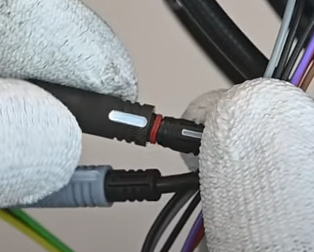
The SPEEDBOX manufacturer offers a paid CHIP UPDATE to the latest version (the service is intended for the end customer)
Operating an electric bicycle equipped with a speed limit removal chip may be prohibited in some countries. An electric bicycle equipped with a Chip loses its status as a bicycle according to EN15194:2017, therefore its operation may not be in accordance with the applicable legislation for the operation of electric bicycles on roads (including roads intended exclusively for cyclists and pedestrians). Installing the Chip may result in the loss of the warranty on the drive or bicycle. The manufacturer or seller is not liable for any damage to health or life or property. Use at your own risk.
It covers the functionality and compatibility of the chip on the current and previous firmware of the drive at the time of sale . The warranty does not cover the inoperability of the chip after a later update of the drive, with which the chip may no longer be compatible!
Before visiting the service center, it is necessary to physically remove the Chip from the drive! The Chip manufacturer does not recommend updating the drive. If using a mobile application (e.g. Ebike flow), turn off automatic updates. If this is not necessary, please always consider updating the drive. Each update contains improved anti-tuning software that can detect the Chip and disable the Chip or temporarily block the drive (Emergency mode / Limbo mode). In such a case, we recommend removing the Chip and checking the functionality of the drive.
If the drive works without removing the Chip (i.e. the Chip is defective), contact us with an exact description of the bike and the situation. If the problem persists (i.e. the drive itself is defective, not the Chip), please visit your bike dealer.
Ebike Electronic s.r.o.
Rybna 716/24
110 00 Praha 1
Czech Republic
j.voldan@speedbox-tuning.com