

- -10%

















 EVIL BIKES
 MAGURA

























































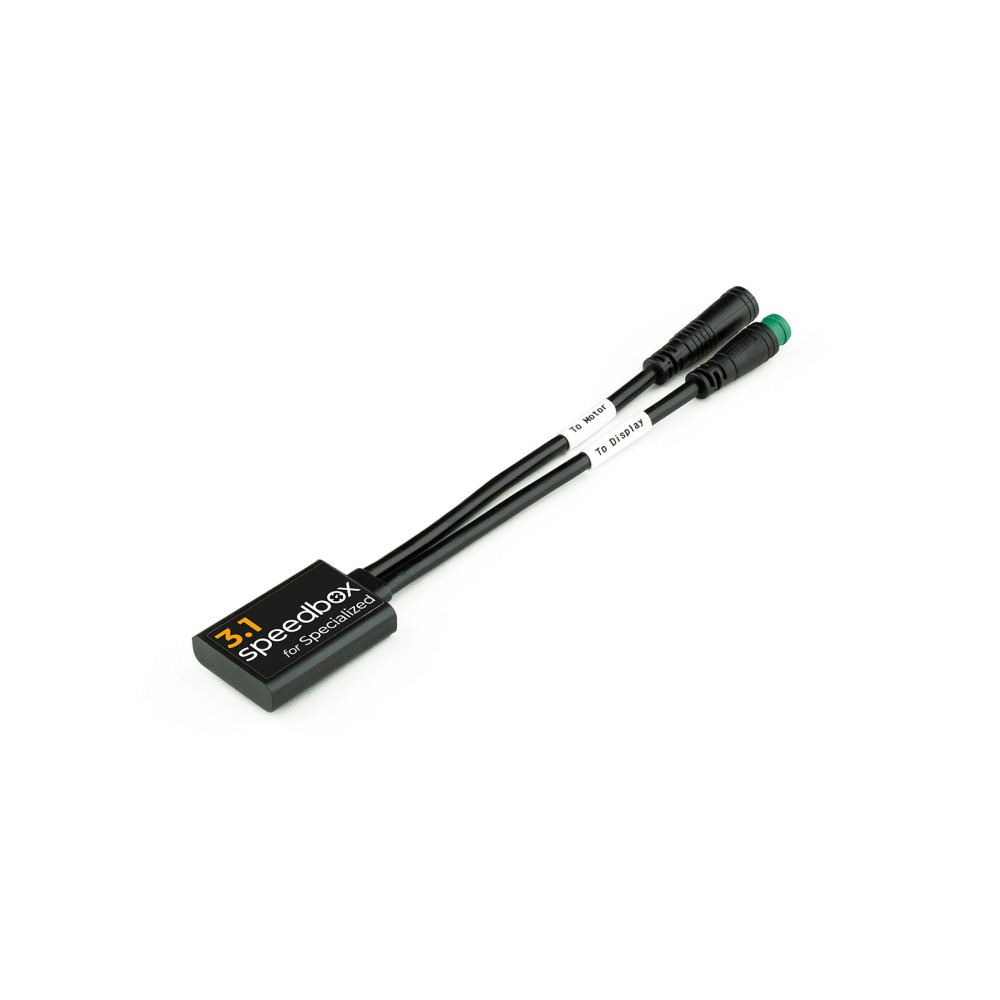
SpeedBox Control Unit / tuning module / chip
- removes 25km/h software speed limit
- installation directly in the engine compartment
Weight: 25g
Manufacturer: CZ
FEATURES:
Maximum speed: no limit
Speed limit setting: YES
Display: real values
Activation: still active
Compatible with: all Specialized electric motors (including SL) and TCU/MasterMind TCU control units
Incompatible with:
SpeedBox App
Specialized GEN 4 (3.1/S-Works)
Electronic shifting IGH
Tuning chip of the third generation with the possibility of setting the speed limit for Specialized e-bikes (including SL motors) and TCU/MasterMind TCU control units
SpeedBox 3.1 deactivates the speed limit of the e-bike and you can enjoy riding at unlimited speed. After installing the chip, real data such as maximum or average speed, daily distance traveled and range are displayed on the e-bike display.
How does SpeedBox 3.1 for Specialized work?
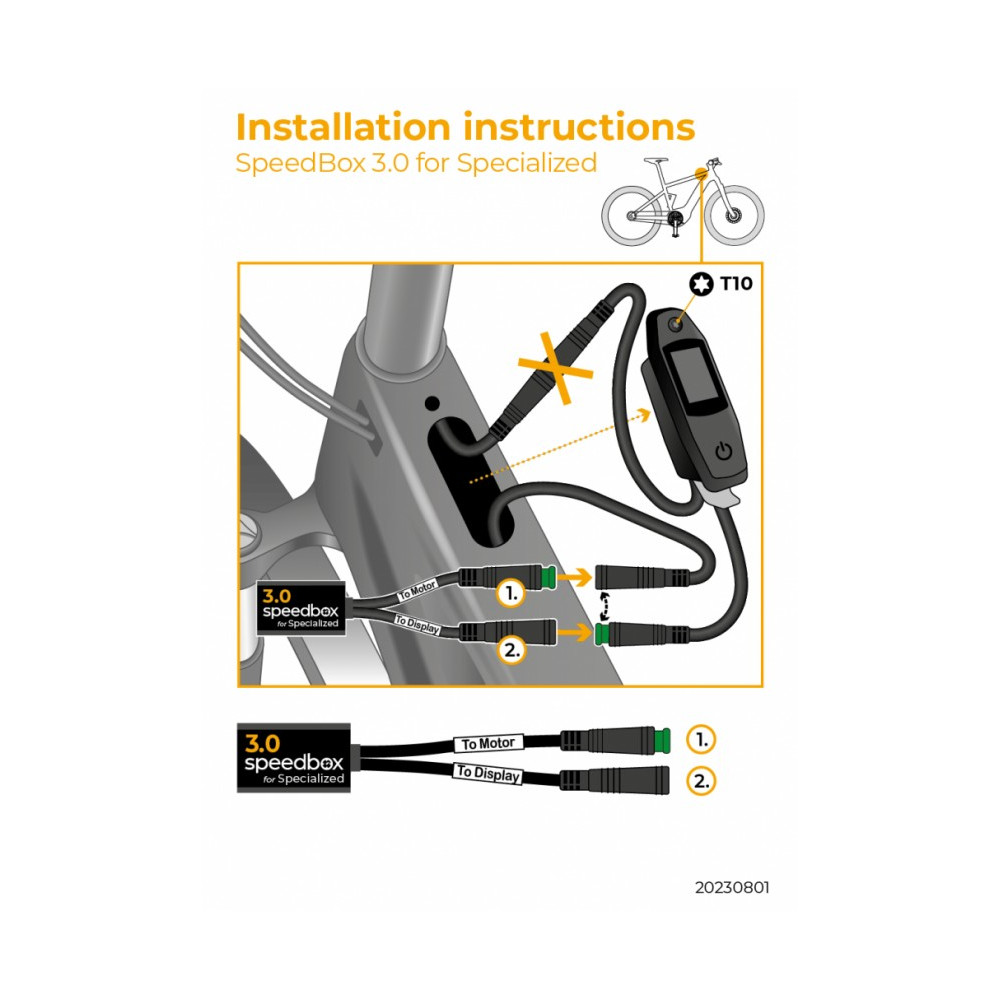
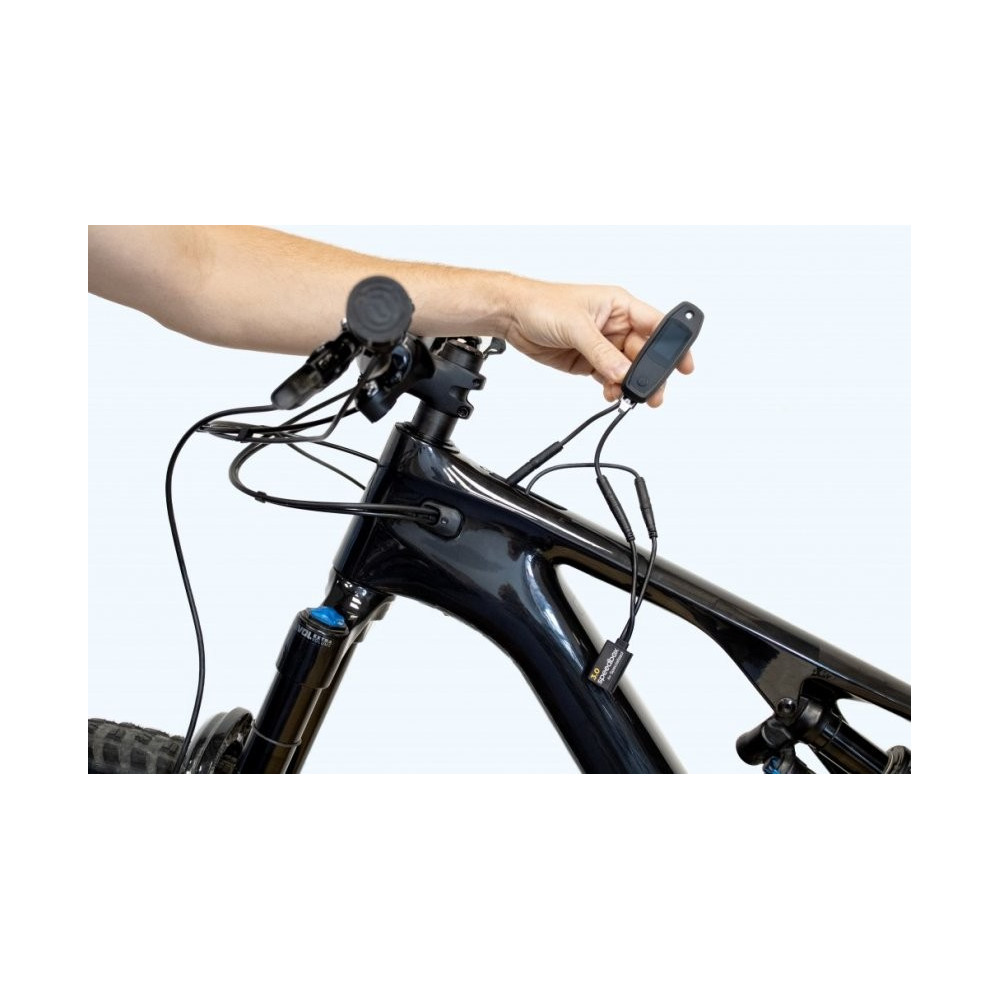
You install the SpeedBox in the e-bike frame under the TCU/MasterMind TCU unit. The display shows the preset maximum assistance speed of 50 km/h. You can save the activation of the tuning by switching the e-bike off and on twice. After that, the tuning is still active.
You can change the maximum assistance speed by gradually switching modes from TURBO mode down three levels and then up three levels (TRAIL - ECO - OFF - ECO - TRAIL - TURBO). The display shows the default maximum assistance speed corresponding to 25 km/h. With each short activation of the WALK function, you increase the maximum assistance speed by 5 km/h. For example, a display of 2.5 km/h corresponds to a limit of 25 km/h, 5.0 km/h corresponds to a limit of 50 km/h, etc. (for some types of displays rounding to whole numbers may occur). The last displayed limit is saved after five seconds of inactivity. The set limit must be confirmed by switching the e-bike off and on twice.
If you want to check the currently set maximum assistance speed, use the + - + - button combination.
If you want to uninstall SpeedBox from the e-bike, first set the maximum assistance speed to 25 km/h by gradually switching the modes down three levels and then up three levels, and then confirm by turning the e-bike off and on twice.
The speed indication does not work correctly in the Specialized Mission Control application. If you have a TCU on your e-bike without a display or the Walk function is missing, we recommend purchasing the B.Tuning version compatible with the SpeedBox App.
Assembly
To connect the SpeedBox device to the e-bike, we use colored connectors equipped with a key for correct connection, therefore the installation of the device is really simple. We have written detailed instructions and filmed videos, thanks to which each customer can install the device himself. Dismantling the device is as easy as assembling. If you don't know what to do, you can contact us at any time.
If you are going to install the SpeedBox on a completely new bike, you need to ride it for at least 10 km before starting the tuning for the first time.
Detailed information on installation can be found here.
If you want to uninstall the tuning from the e-bike (for example to update the firmware), we recommend the following procedure:
Operating an electric bicycle equipped with a chip to remove the speed limit may be illegal in some countries. An electric bicycle equipped with a Chip loses the status of a bicycle according to EN15194:2017, therefore its operation may not be in accordance with the applicable legislation for the operation of electric bicycles on roads (including roads intended exclusively for cyclists and pedestrians). Installing the Chip may result in the loss of the warranty on the drive or bicycle. The manufacturer or seller is not liable for any damage to health or life or property. Use at your own risk.
It covers the functionality and compatibility of the chip on the current and previous firmware of the drive at the time of sale . The warranty does not cover the inoperability of the chip after a later update of the drive, with which the chip may no longer be compatible!
Before visiting the service center, it is necessary to physically remove the Chip from the drive! The Chip manufacturer does not recommend updating the drive. If using a mobile application (e.g. Ebike flow), turn off automatic updates. If this is not necessary, please always consider updating the drive. Each update contains improved anti-tuning software that can detect the Chip and disable the Chip or temporarily block the drive (Emergency mode / Limbo mode). In such a case, we recommend removing the Chip and checking the functionality of the drive.
If the drive works without removing the Chip (i.e. the Chip is defective), contact us with an exact description of the bike and the situation. If the problem persists (i.e. the drive itself is defective, not the Chip), please visit your bike dealer.
Ebike Electronic s.r.o.
Rybna 716/24
110 00 Praha 1
Czech Republic
j.voldan@speedbox-tuning.com